
Console agent
Live streaming, file progress, cancel, and tools: shell, code search, web, downloads, and installs — under your approval.
Apps · IDE with an AI agent
CodiiX
Linux-like console chat, a professional editor, semantic project index, CodiiX Universe map, and local or SSH workspaces. Built for developers, with Xeretron models (and external providers when you allow them). Available on Windows and Mac: install, launch, and you’re in.
For full-stack work in a local folder, DevOps over SSH, teams that want per-project memory, and anyone who needs dictation, OCR, and visual code exploration. Requires a Xeretron server.
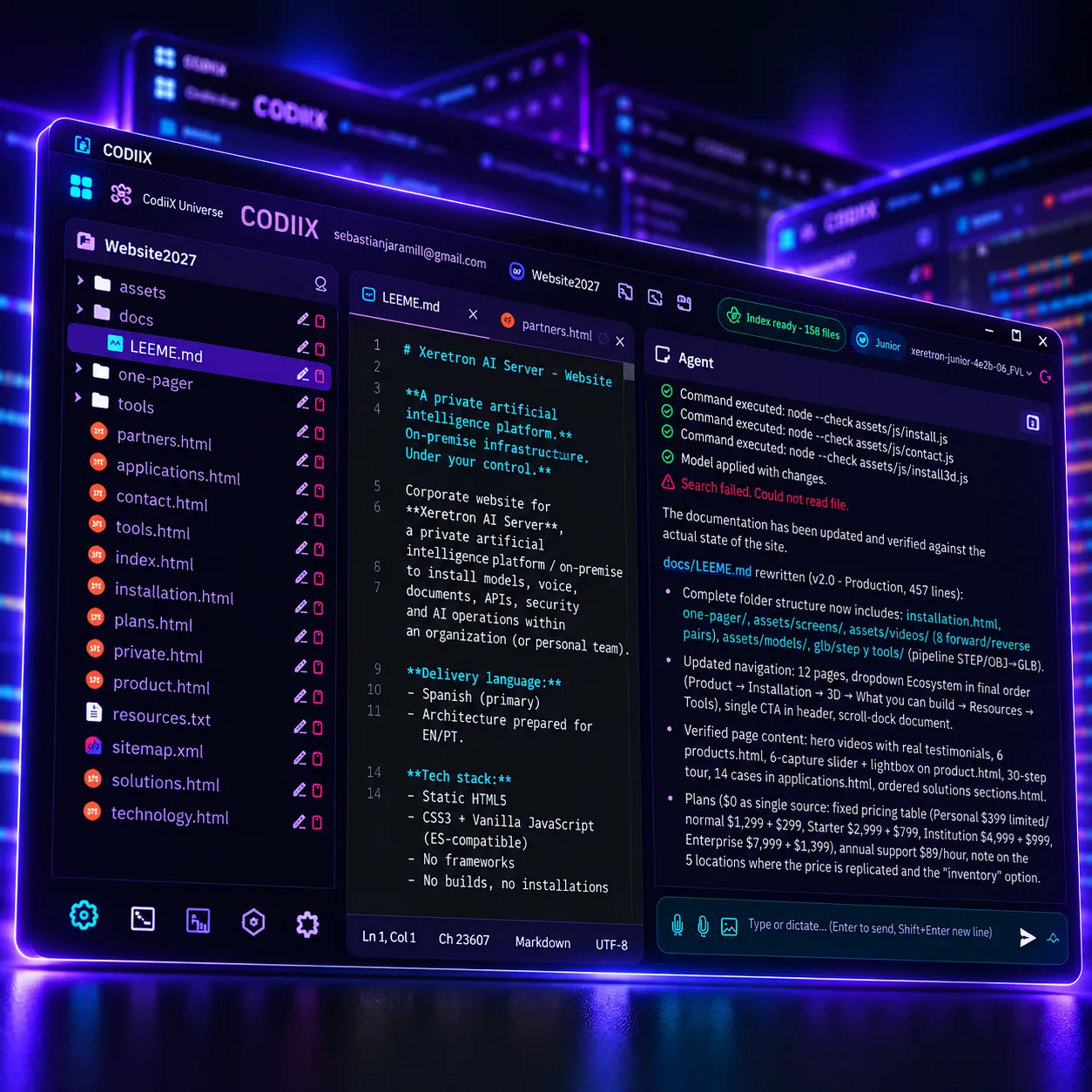
In action
Real CodiiX capture with a Xeretron model working on a project.
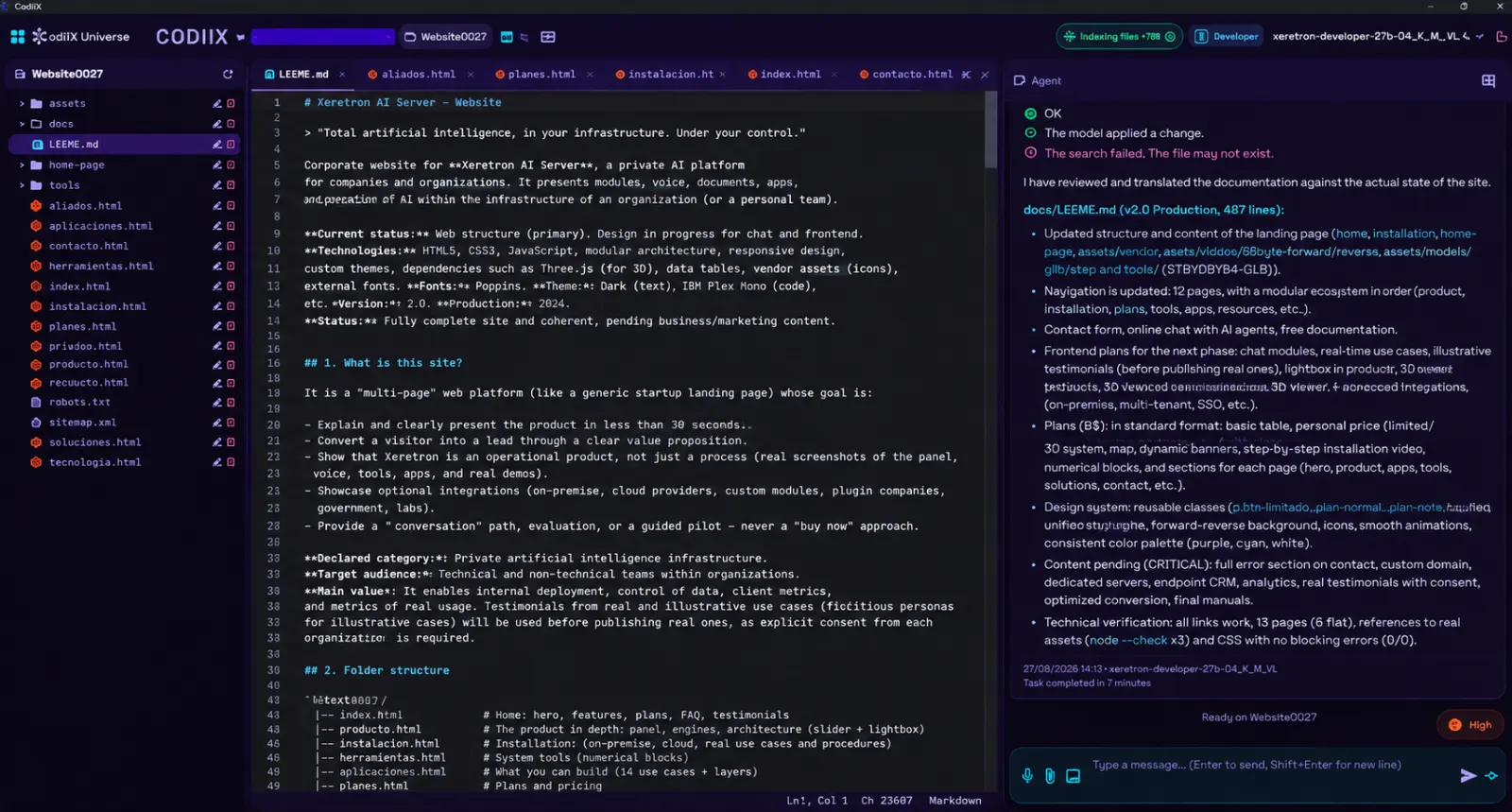
Pillars
Live streaming, file progress, cancel, and tools: shell, code search, web, downloads, and installs — under your approval.
File tree, tabs, Git highlighting, and a layout that remembers your widths. Toggle editor and chat when you need them.
The project indexes in the background. Ask the codebase and the agent finds context — without uploading your repo to someone else’s cloud.
A spatial map of the product: from the big picture down to a file and its symbols, with briefs and quick operate access.
Open a folder on your machine or connect to a remote server. Built for vibe coding and for DevOps work.
Commands confined to the project, approvals for sensitive actions, and careful session credentials. Your code stays with you.
CodiiX Universe
As a kid you imagined solar systems, bright suns, and mysterious moons. Today that dream does real work: understand all of your code. CodiiX Universe turns your project into a navigable universe — planets, suns, and moons — so you can explore the solution like a pro and make better architecture calls.
Frontend and backend as galaxies. See the whole product at a glance: what exists, how it connects, where the story begins.
Core modules that light the system. Spot the hubs of your app and the satellites that orbit them.
Folders and domain areas. Explore each world: screens, APIs, data, what AI generated and what you wrote by hand.
Files and pieces in orbit. Drop into detail, open the code, and operate from the map without losing system context.
Workspaces
Pick a local project. CodiiX sets up the project space, indexes the code, and gets chat with memory ready.
Host, user, and key or password. The editor works remotely; the agent operates on the machine with your credentials and fingerprint trust.
From scratch in a local folder: describe the idea, CodiiX drafts architecture and tasks, then asks if we should start building.
Features
Streaming replies with thinking when available. The agent can search code, run approved commands, edit carefully, install user-local tools, commit and push, and recover from dependency conflicts. Junior mode is available when you want tighter limits.
Each project keeps its history, short memories, and summaries. The assistant returns to context without you re-explaining the repo every morning.
A map of the system: frontend and backend, layers, files, and symbols. The first time CodiiX prepares your Universe while you keep working; then it refreshes on its own.
Connected to your Xeretron server: Developer, Turbo, Titan, Omega, and more. Super intelligence mode depending on the model. You can also pick external models in the live selector when your admin enables them.
Voice dictation, PDF and Office extraction, and vision on models that support it — in the same work thread with the agent.
Commands scoped to the folder (or the SSH remote). Approvals for powerful actions. On SSH, dangerous destructive ops are blocked. SSH passwords are not stored in the clear.
Distribution
Windows 10/11 and macOS. An installer or portable package brings up CodiiX and its local engine. On close, it shuts down cleanly. The AI brain lives on your Xeretron server.
FAQ
Yes — you need one. CodiiX is the IDE; the Xeretron server is the brain you connect to (models, voice, and documents). No server, no magic.
You work on your local folder or SSH server. History and index live with the project. Inference runs on your Xeretron node — not a generic third-party chat.
Yes. With SSH you open the remote, edit files, and let the agent operate with your approval. Built for admins who live in the terminal.
CodiiX is available for Windows and Mac. Linux is not part of the current packaging.
Next step
CodiiX + your Xeretron server. Available on Windows and Mac. Per-project memory. Control over what the agent can do.