
Professional chat
Live streaming, clear Markdown, rendered diagrams, reasoning panel, and per-reply metrics.
Apps · Cross-platform client
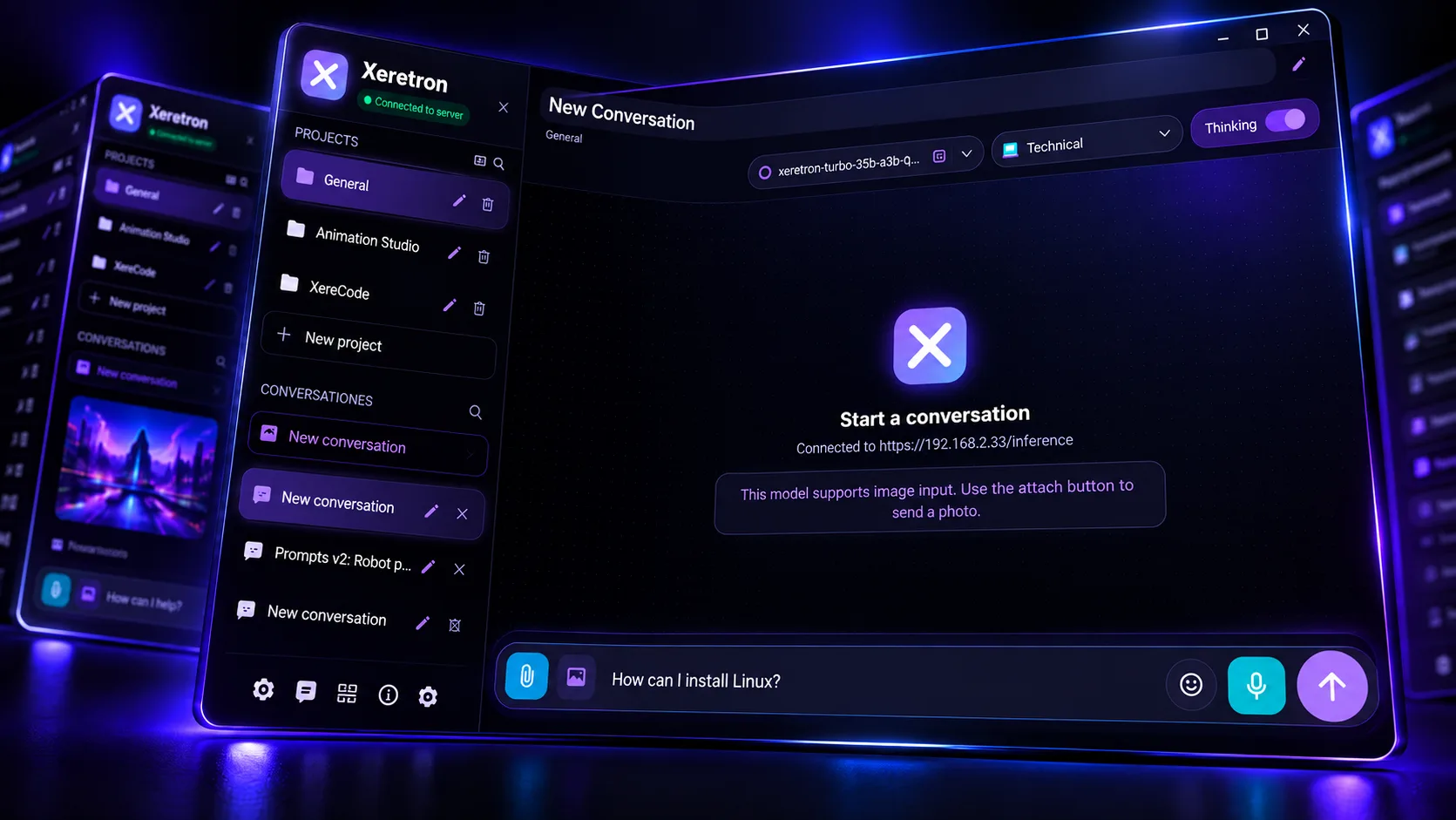
Like the GPT-style app you use today — but private. It runs on your Xeretron server: by project, with persistent context and control of your data. Live chat, local history, your own documentation, on-demand agent tools, and optional sync across devices.
The familiarity of a GPT-style chat, without depending on someone else’s cloud. For technical teams, consultants, creators, educators, and organizations running their own AI.
Pillars
Six blocks that define the experience.
Live streaming, clear Markdown, rendered diagrams, reasoning panel, and per-reply metrics.
Layered documentation, folder trees, sticky notes, and automatic memories per project.
Read project files, search the web, build courses (AI Tutor), and generate image, video, or audio (Animation Studio). AI Tutor and Animation Studio are sold separately.
Document text extraction, vision images, and voice dictation.
Server login, allowed models, master/follower sync, and secure connections.
Available on Windows, macOS, and Android.
Features
Streaming answers with live formatting. Pick a model per conversation, stop generation anytime, and see time, speed, and model on each assistant reply. Turn on reasoning mode when the model supports it — independently from showing or hiding the panel.
Each project is a space with identity, instructions, documentation, files, notes, memories, and its own chats. The assistant works with the active project context. Recommended flow: edit the project, save, then open a new chat to load the updated context.
Organize folders and project attachments. Use colored sticky notes. Memories summarize factual outcomes at the end of each turn and return in chronological order, with the latest session marked.
Attach PDF and Office so extracted text reaches the model (the UI shows a filename chip). Send images to vision models. Dictate by voice when transcription is configured on the server.
On request, the assistant can read project files or notes, search the web, create a course with AI Tutor, or generate a flyer, poster, image, short video, or audio with Animation Studio. Long jobs show floating progress. AI Tutor and Animation Studio are sold separately and unlock when you have them licensed.
Connect to your local server or the Xeretron panel with unified login: allowed models, sync, voice, and file extraction on the same base. Optional sync as master or follower — the same brain on desktop, laptop, and mobile.
31 profiles
Selector in chat and editor in Settings. Each profile ships with factory prompts in Spanish and English; customize and save your configuration.
Strategy, business, decisions, projects
Infrastructure, programming, Linux, AI
Software design, patterns, scalability
Foresight, deep analysis, papers, comparison
Performance, cost, efficiency
Marketing, branding, UX, content, storytelling
Step-by-step teaching and training
Security, review, compliance, risk
Task execution with tools and automation
Budgets, costs, ROI, investments
Budget, savings, debt, goals
Cash flow, margins, corporate budgets
Contracts, privacy, compliance, IP
Course design, modules, lessons, assessments
Ideas, new products, MVP, roadmap
Campaigns, positioning, funnels, copy
Articles and ideas with image prompts
Close conversation and personal reflection
Wellness and informational guidance
Nutrition, menus, meal prep
Training, technique, performance, recovery
Songs, artist brand, releases
Positioning, authority, reputation
Ads, planning and social content
Storyboards, shots, light, audiovisual direction
Motion graphics for social and video
Bilingual prompts for generative AI
From still image to short motion clip
AI editing from your photo
Generative audio with Animation Studio
Plans, worksites, buildings, architecture
Image editing and sound profiles rely on Animation Studio when that app is enabled. AI Tutor and Animation Studio are sold separately from Xeretron Desktop. Health and Legal profiles provide informational guidance; they do not replace licensed professionals.
Platforms
Available on Windows, macOS, and Android. UI language: Spanish, English, or follow the system.
FAQ
Yes — you need one. Desktop is the client; the Xeretron server (or your local node with the panel) is the brain you connect to. No server, no magic.
A workspace with instructions, documentation, files, notes, memories, and chats. The model receives that context coherently every turn.
Yes: beyond your node, you can work with compatible providers and remote routes as allowed by your administrator.
History and projects live on your device. Sync is optional — you choose whether a device publishes or only follows the master’s configuration.
Next step
Connected to your server or the Xeretron panel. Local history, optional sync, and 30+ professional profiles.