
Watch Mouse · Live
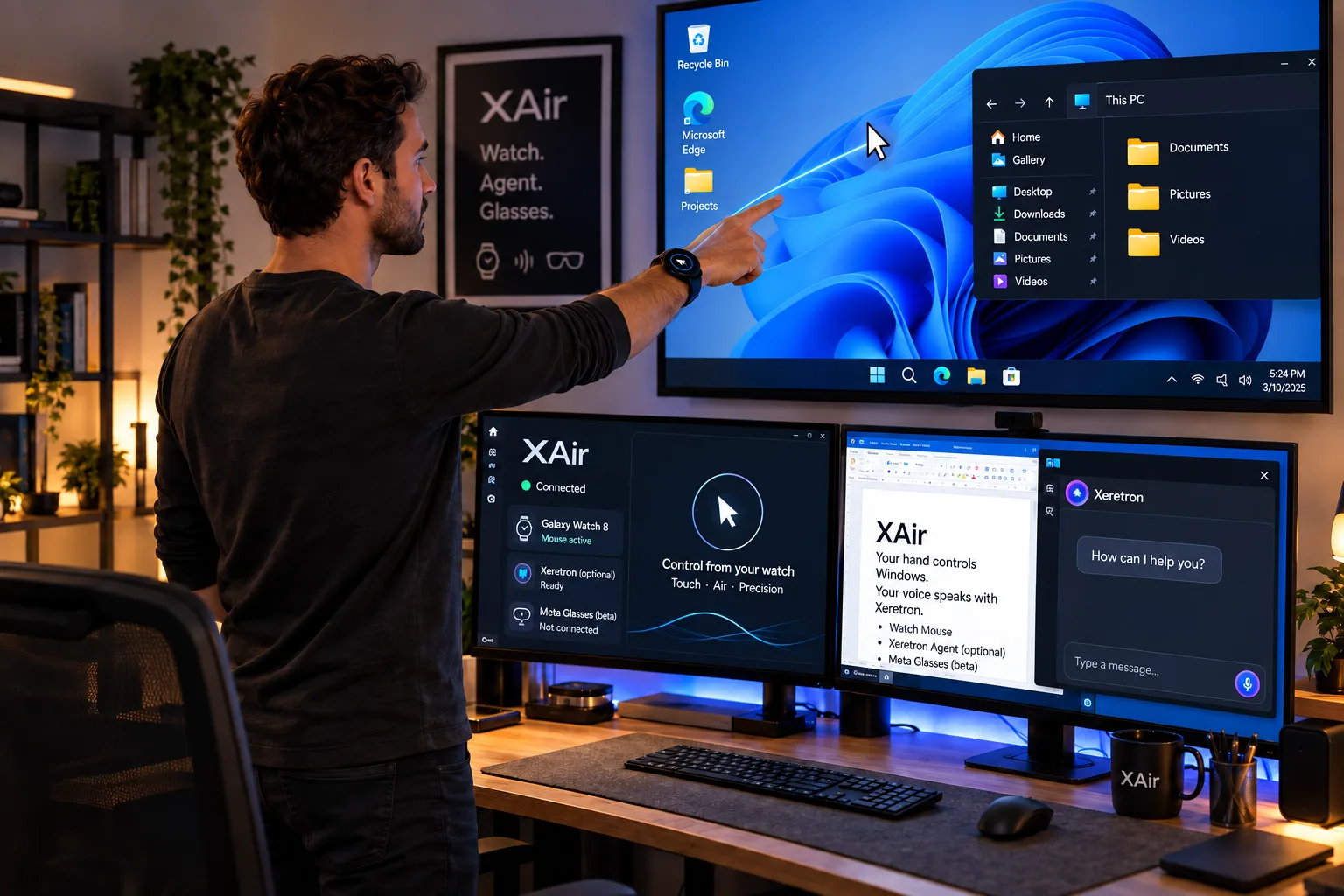
Galaxy Watch 8 as touchpad and Air pointer. Local Wi‑Fi. Works without Xeretron.
Apps · Wear · Private LAN · v1.5
XAir
Your glasses reach the desktop. XAir is the local receiver that unites Galaxy Watch 8, an optional AI agent, and the Meta Glasses bridge — all on your private network, without exposing the desktop to the Internet.
Built for trusted local networks. Not a public SaaS and not multiplatform yet — current focus: Windows.
Three pillars
Galaxy Watch 8 as touchpad and Air pointer. Local Wi‑Fi. Works without Xeretron.
Voice from the watch + desktop chat. Whisper and streaming LLM. Tokens only on Windows (DPAPI). TTS coming soon.
Oakley Meta HSTN via Android phone to the same receiver. Preview and return audio still in active phase.
Galaxy Watch 8
Swipe moves the cursor. Tap, double-tap, and hold (click / double / right) with vibration. Drag with hold. Post-move guard so you don’t fire accidental clicks.
Yaw and roll drive X/Y. Recenter, EMA filter, and micro-tracking near the target. Hybrid Air: touch freezes and latches; 2 fingers = right-click; autoclick and double. Touch Auto switches by arm angle.
Left/right (inverts and recenters). OLED standby after 90 s. Orientation locked in-app. Multi-monitor with coords anchored to the primary display. Reconnect with saved IP and heartbeat.
Agent · optional
Link Xeretron (email + admin code). Pick a model. Open the orb or “Reply with voice.” Whisper transcribes; the LLM streams into the desktop panel.
Agent onboarding
Without Xeretron, the mouse still works the same.
Meta Glasses · Beta
Oakley Meta HSTN: camera (DAT) and mic/speaker (Bluetooth) through an Android phone. Authenticated TLS link to the XAir receiver.
How it works
Galaxy Watch 8 over Wi‑Fi to the receiver. Mouse and voice (WAV) into the XA tray.
XA tray icon. Settings, status, preferences, private firewall, and Meta Glasses page.
DAT/BT on the phone; TLS to the receiver. DAT does not run on Windows.
Start XAirTray → allow private firewall → install Wear app and enter the PC IP → pick Touch or Air and wrist → minimize: XA stays in the tray.
Security
Not designed for the Internet or public networks. Xeretron credentials with DPAPI. Voice audio in memory. Meta Glasses with TLS 1.2, pinned cert, and pairing code.
Firewall limited to the private profile and XAirTray.exe.
The watch doesn’t store AI tokens. Preferences and models protected on the PC.
Authenticated bridge; pairing by IP + code. No promise of watch UDP auth yet.
Platform
Windows 10/11 receiver. Galaxy Watch 8 (Wear OS) on the same Wi‑Fi. Xeretron optional. Meta Glasses: Android 10+, Meta AI, DAT, Oakley Meta HSTN. macOS/Linux: not yet.
FAQ
Yes. XAir is built to live with your Xeretron server: that’s where Whisper, the LLM, and the voice agent run. Link the server and the wrist copilot makes sense.
No. Production = private LAN. Don’t expose it to public networks.
Coming soon. For now you speak to the watch and read the reply on the Windows panel.
Beta: gateway and capture work; preview and return audio are in active phase.
Windows only for now.
Next step
XAir 1.5 unites Watch, optional Xeretron agent, and Meta Glasses — on Windows, on LAN.