
Comfortable reading
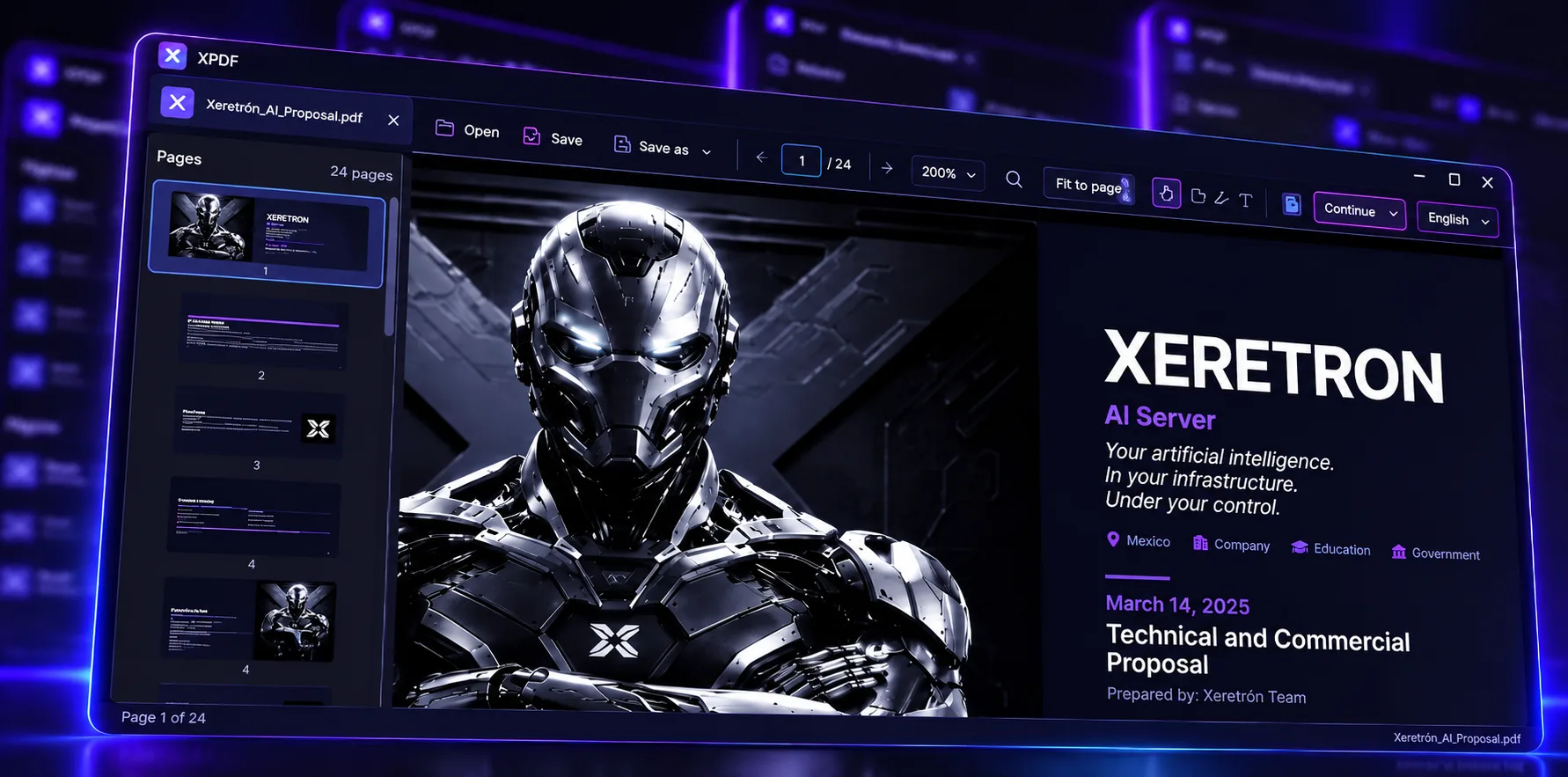
Zoom 50–300%, thumbnails, continuous or single page, go to page. Open via dialog, drag-and-drop, or double-click.
Apps · PDF · Local-first
XPDF
Read, annotate, fill, and sign PDFs — all local. Light like a reader. Useful like an editor. Built for receipts, contracts, and everyday forms.
For students, offices, accounting, and support. Offline, light, no account. Primary platform: Windows.
Pillars
Zoom 50–300%, thumbnails, continuous or single page, go to page. Open via dialog, drag-and-drop, or double-click.
Sticky notes, highlights, and typewriter-style text to mark up and fill forms visually.
Stroke or image (PNG/JPEG/WebP). Up to 10 signatures saved on your PC. Never uploaded to any server.
If the PDF is image-only, automatic OCR (Spanish + English) so you can select and copy text.
Independent tabs: each PDF keeps its zoom, page, tool, and unsaved changes (•).
Save / Save as with notes, highlights, text, and signatures embedded. No account. No XPDF cloud.
Features
Open via dialog, drop, or recents. Side thumbnails. Single or continuous page. Zoom 50–300% (default 200%), fit to page, Ctrl + wheel. Go to page and in-document search (Ctrl+F) on native text.
Several PDFs at once. Each tab is independent: zoom, page, tool, annotations, and view. Unsaved-changes indicator. Shortcuts Ctrl+T / Ctrl+W.
Select tool on PDF text. If there’s no text (scanned or “Print to PDF”), automatic OCR with a progress overlay. Search does not yet index OCR text.
Colored sticky notes, highlight, monospace text, sign with stroke or image (move and resize). Local library of up to 10 signatures. Save embeds everything without duplicating on re-save.
.pdf association, single instance (opening another PDF focuses the window). NSIS and MSI installers. Spanish / English UI, preference on device.
Flows
Welcome → Open / drop / double-click → thumbnails → comfortable zoom.
Note, highlight, or typewriter text → Save.
Draw or import a signature → place, move, scale → Save.
Select → OCR → copy text when the PDF is image-only.
Multiple tabs, each independent — no cloud “projects”.
Save or Save as: annotations and signatures stay in the file.
Privacy
XPDF is not full Acrobat and not certified digital signature (PKI). It’s a local reader/editor: your files don’t go to an XPDF service.
No accounts, SSO, teams, or roles. Install and open. Done.
Up to 8 recents, language, and up to 10 signatures on device. PDFs in memory while you edit.
No product telemetry or document backend. Offline by design.
OCR note: the first time OCR runs, third-party language data may download (Tesseract). That is not an “XPDF cloud” for your PDFs.
Platform
Primary distribution today: Windows, with NSIS and MSI installers · version 1.1.2. Included at no extra cost with any Xeretron plan purchase while your license is active.
FAQ
No. No profiles or login.
Not to an XPDF service. Everything is local. (OCR may download language data the first time; your PDFs are not uploaded.)
No. Visual signatures only (image or stroke), not PKI / certified e-sign.
No. It uses typewriter-style text on the PDF for visual fill-in.
OCR lets you copy text; search does not yet index OCR.
It is not open source. XPDF is included at no extra cost with any Xeretron plan purchase, while your license is active.
Next step
Open, annotate, fill, and sign — with OCR for scanned documents. Version 1.1.2.